Job Failover Testing
This page discusses the OpenText legacy process for conducting failover tests. While the use of a secondary target that is configured in the job is the currently documented and preferred method, it is possible to conduct a failover test utilizing the "production" target VM as long as you are aware of the risks involved along with the benefits.
Important!
Note that this procedure is considered "legacy" by OpenText and is not the preferred method for testing. While it has been indicated that this method is still supported, as a legacy process, it may or may not continue to be supported or functional in future releases of OpenText. All appropriate caution should be exercised when utilizing this method, and in the event that the procedure does not complete successfully/encounters issues, the production target VM and replication job may need to be rebuilt and all data re-replicated if OpenText support is unable or unwilling to troubleshoot issues following the use of this process.
Procedure Benefits
- Does not require the use of a second target VM and its associated resources.
- Data has already been replicated to the "production" target where data must be replicated ad-hoc at the time of initiating a test when using a test target.
- Additional configuration, configuration changes, or potentially deploying ad-hoc test targets not required.
- Reduced cleanup steps post-testing.
Procedure Risks
- Failover test is disruptive, meaning that during the testing phase, no data will be processed from the production source to the target.
- Upon completion of test and job reset, replication will be in a delta sync state and will not be reliably available for a failover should an event occur.
- Upon failover, some application licensing systems may break or cause activation issues upon roll-back based on potential duplicate instances.
Important!
Like other tests where a copy of an existing machine is spun up connected to an active network, hostname collisions and other potential issues may arise if caution is not observed. Replication target machines exist on a separate LAN/VLAN/Subnet from the production network, and upon failover will receive the NIC configuration that matches the source VM, which should prevent inadvertent duplication of systems active on the LAN. However, if inter-server testing is required, prior to reconfiguring the IP addresses of the machines to utilize the replication network address space, the source VMs should be powered off or disconnected from the network in order to ensure that no collisions/issues arise.
Alternatively, if the customer's protection design calls for a network failover/cutover to move the production LAN into the recovery resource pool and appropriate NIC mappings are in place to allow for this failover to occur, the failover should be completed after the production LAN/Subnet has been transitioned.
Before You Begin - Pre-testing Validation and Configuration Sanity Check
Prior to conducting a test, it is important that you review the appropriate playbooks/documentation to understand the intended failover procedures. Target VMs and target/recovery resource pool network configuration should be reviewed to confirm configuration matches documented design, and configured replication jobs should be reviewed for any configured NIC mappings that may be configured to ensure that the appropriate network configuration operations are prepared.
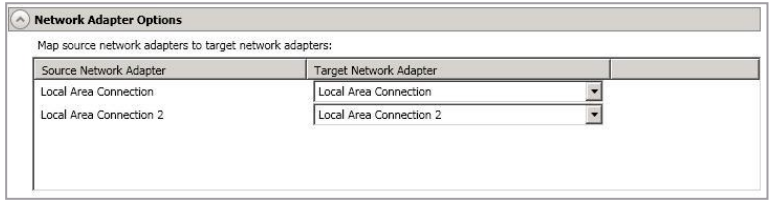
For example, a replication target VM may be created with two or more NICs provisioned on it: one for an always on "Pilot Light"/Replication network, one attached to a "shut" replica of the production network that becomes live during a failover event, and potentially a third that is connected to an isolated network configured in the same IP space as the production network. The replication job configured in the OpenText console contains a section that allows mapping the production source machine's NICs to specific target NICs in order to automate the process of establishing the appropriate production network connections on interfaces connected to VLANs configured to match the source environment.
If an isolated network exists that is also in the same IP space as the production network, then the settings of the job may need to be modified in order to change mappings so that the production network configuration is applied to the interface attached to the isolated network rather than to the network intended to become live as part of a network cut-over if isolated testing is desired.
Step 1 - Create Hypervisor-level Snapshots of Production Target VMs
Prior to initiating the failover of a job for testing, you will need to ensure that you take a snapshot of the Production Target VM from the hypervisor level to preserve its state as a replication target. Before taking the snapshot, ensure that there are no existing snapshots and remove any that may exist. Follow the specific steps appropriate to the environment to capture a snapshot of the VM and all attached disks as this will vary between specific hypervisor environments. Do not proceed with testing until you have confirmed that all snapshots were created successfully.
Step 2 - Initiate Failover
Once your snapshots are complete, you may initiate network cut-overs as appropriate for testing, and then initiate failover from the OpenText management console. Monitor the failover process until successful completion is observed.
Step 3 - Post-Testing Reversion
Upon completion of validation testing on the failed over systems, instruct the appropriate parties to complete the network cut-over reversion procedures as appropriate. Log into the hypervisor environment, locate the test target VMs and initiate the process to revert them to the snapshot taken previously.
Once reversion is complete and any network changes have been reverted, monitor the OpenText console until all source and target VMs appear online. You may need to right-click on each server in the list of servers and select "refresh" to force the console to retry connection to the VMs. Once the machines are online, proceed with step 4.
Step 4 - Restart Replication Jobs
In the OpenText management console, navigate to your list of jobs. You will note that the replication jobs that you previously failed over are in an "error" state with a red icon and are not syncing, indicating that we need to restart the jobs in order to force a comparison between the source and target VMs, followed by a delta sync to re-establish parity and resume replication.
To do this, select a job that is in this state (you may select more than one by either ctrl-clicking on each job in the list you wish to select, or by selecting a 'starting' job in the list, holding down shift, and clicking on an 'ending' job to select everything between the two jobs you clicked on), and press the red square 'stop' icon in the tool bar to 'stop' the job:
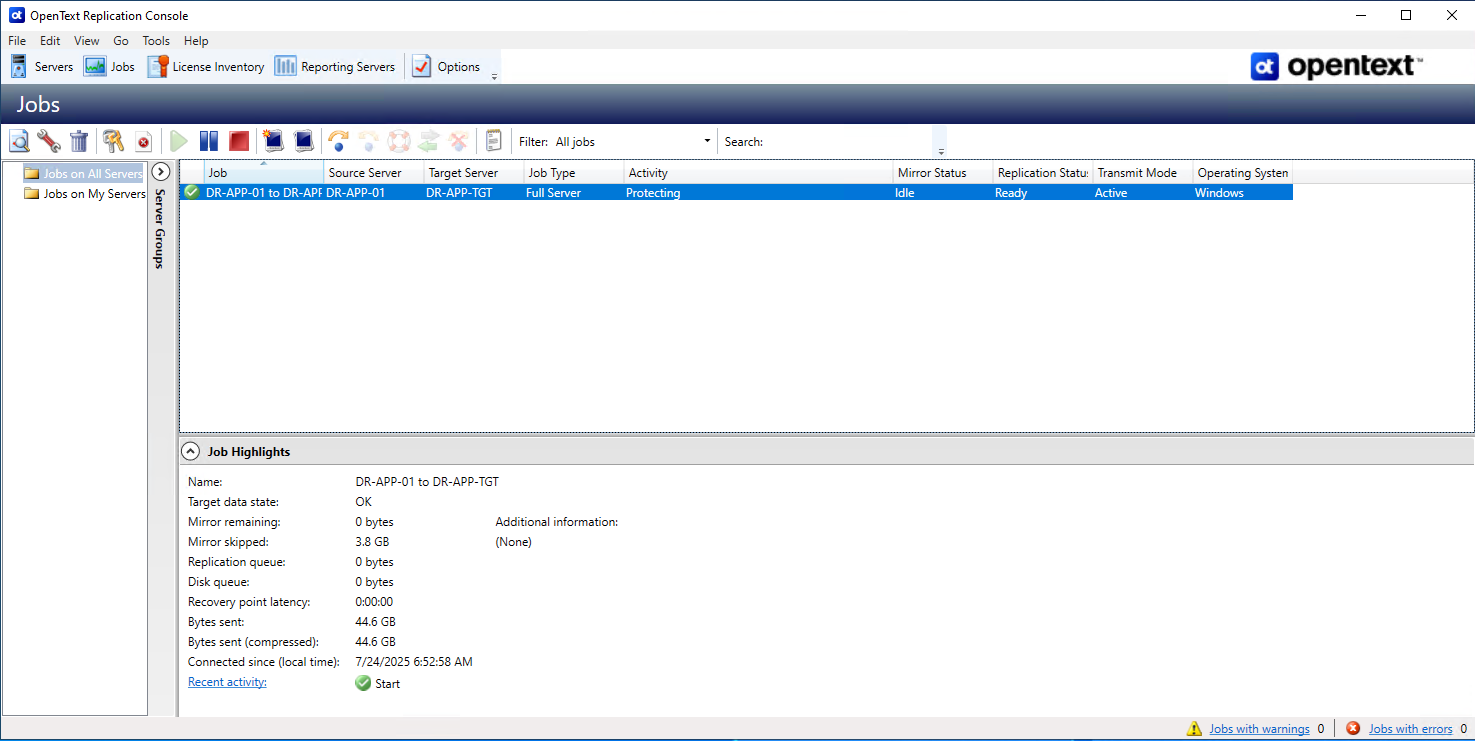
The job will process the stop command. Once this has completed, simply click the green triangular 'start' icon to start the job. Monitor the job statuses until it confirms that it has begun the comparison between the source and target and initiated the delta sync.